Student Accounts and Tech Help
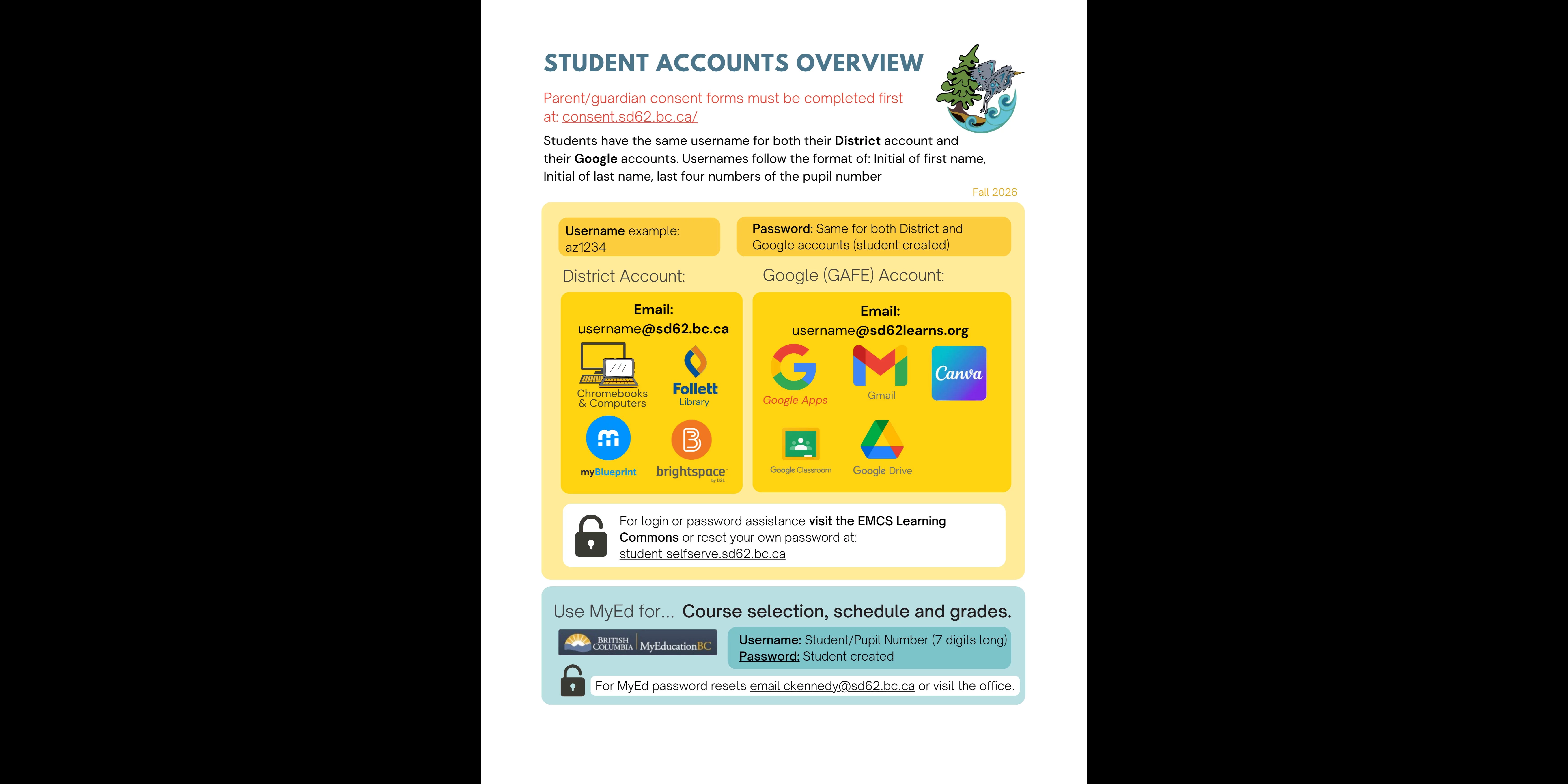
EMCS student accounts provide you access to school programs, websites and apps.
Before new student accounts can be set up, parents/guardians must first complete consent forms.
District and Google Account: Reset your password here or visit the Learning Commons for help.
Usernames are your first initial, last initial, and last four numbers of your pupil number (e.g. jd3957)
Emails are: username@sd62.bc.ca and username@sd62learns.org
MyEd Account: Reset your password through the MyEd login page, contact the office for help, or read the MyEd Family Portal User Instructions.
See image below for a visual guide.